
 You might not believe this, but there is a little nerd in me. I love to find ways to enhance my blog, tweak the hmtl codes to make it just so. Plenty of times it doesn't work-out, but I would always try.
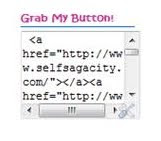
 How would you like to learn how to create a badge code box? One that is simple and just does its thing without crying for maintenance. It will look like the ones on my side bar, holding Thursday Two Questions and Self Sagacity's badge. It has no borders, no colors, just plain code boxes.
SS tip #1, I've tried the colored and fancy code boxes, and you know what? If you are not tech savvy, you will be wasting a lot of time editing. So stick with the basic until you become a guru or have time to spare.
SS tip #2, many codes I found will sneak in their url so that your code box will link to their site as well. The consequences are page rank and traffic rank leakage. If you don't care, don't worry about it. For people who are watching their page rank and traffic rank , this code box does not contain hidden links to other sites but the site you chose to link your image too.
SS tip #3, anytime you want a closer look at an image, just click on the image to enlarge. And for your information, the same goes to all the images on this website.
Here are the simple steps.


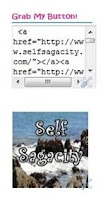
This is the finish look. That is it folks! See how easy?
Thanks for stopping by today. Please feel free to leave me a comment or any thoughts you may have.

16 Comments
exactly.. Yes, I did it that way.. But I had a hard time getting it.. :)
ReplyDeleteBut it all done now.. :)
Good information to have, I love to play around with HTML. Now I just have to make up my mind on a button.
ReplyDeleteJust wondering, Amanda. When you click on 'Add a Gadget' don't you have to choose, 'add html code' or is this the wrong one?
ReplyDeleteThank you for this simple tutorial. I have been thinking of a code box lately!
ReplyDelete@SquirrelQueenYes, it could be time consuming but wonderful to see the effects.
ReplyDelete@Anne Lyken-Garner You are right, I just added the step, thanks for pointing that out.
ReplyDelete@MumsyCan't wait to see your badge!
ReplyDeleteAmanda, I am so computer inept!! I never figured out the favicon and after two weeks gave up. :-)
ReplyDelete@Judy Sheldon-Walker Sometimes you need to just let it go and then come back to it. I find most things work the second time I come around. Smiles.
ReplyDeleteI love learning about how to tweak my blog too. I am wanting to change it again right now but can't find the right temp.
ReplyDeleteI have latent geek tendencies. This winter I'm taking a HTML & CSS coding class. Yay for nerds!
ReplyDelete@Krislin Neo, Ting (Syracuse Pike) Fantastic, I am glad it worked out for you.
ReplyDelete@JamericanSpicethat's another one I struggle with, is the right template.
ReplyDelete@Kalathat might be a good thing. Geeks spend much time on the computer.
ReplyDeleteHi I'm following from FMBT :)
ReplyDeleteHope to have you visit when you get a chanse http://emmaslunch.blogspot.com
by the way... can't wait to see the new button :)
oh you are not alone... when i was new to blogging i would sit all day in front of the computer trying to learn html codes. i wish i still have the time to do that because i want to learn more. thanks for sharing this.
ReplyDeleteHave a thought? Please leave a comment here, and I will return as soon as possible. Thanks - If you have a minute, why not check-out the sibbling of Self Sagacity.com Blogger Broadcast. Extra Links = Spam = Delete.